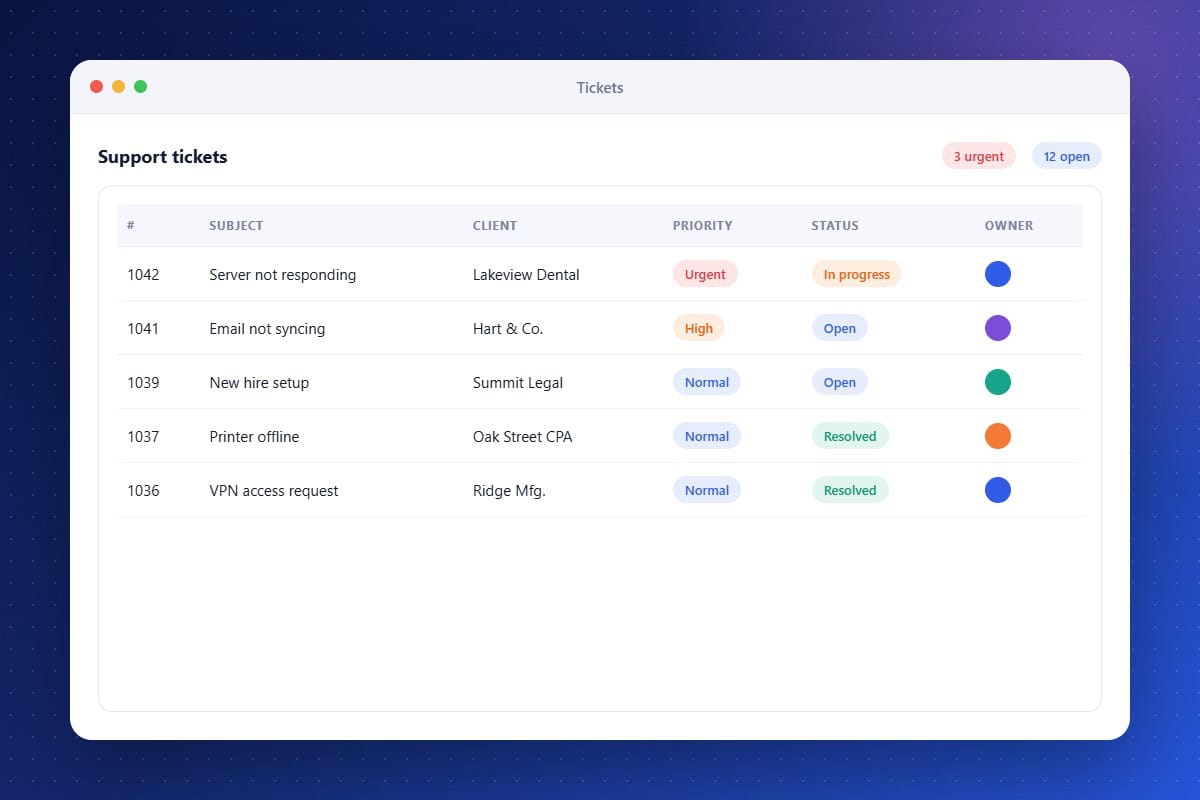
Support is the heart of many IT service businesses, and missed requests damage relationships. Ticket Tracking brings structure to support without a separate help desk. Requests from email, chat, and phone become tickets with priorities, owners, and statuses. Technicians see the client’s full history, and automated updates keep clients informed. When a ticket closes, a workflow can send a satisfaction survey or a review request.
Multi-Channel Intake
Turn emails, chats, and calls into trackable tickets.
Client Updates
Keep clients informed as their request progresses.
Assignment and Priority
Route tickets to the right technician with clear priorities.
About the Ticket Tracking Feature in Audidev CRM
Ticket Tracking organizes client support requests in one place. Capture issues from multiple channels, assign them to the right technician, track status, and keep clients informed until resolution.
Supporting Key Roles in Your Organization
Resolve Issues Faster
Give technicians the context they need to act quickly.
Increase Accountability
Make it clear who owns each request.
Raise Client Satisfaction
Follow up automatically when tickets are resolved.