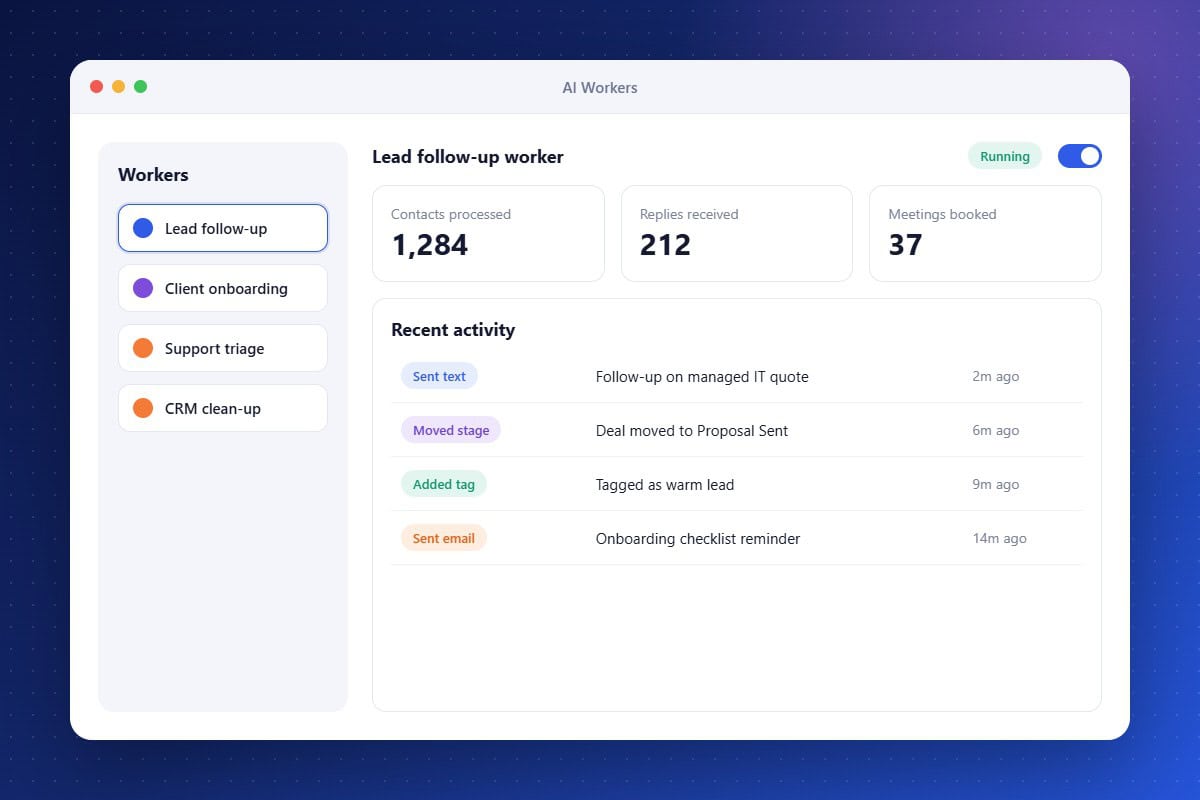
Every IT firm has work that has to happen but rarely gets prioritized: following up on quotes, chasing missing onboarding details, updating deal stages, and tagging contacts. AI Workers take over that work. You define the job and the audience, and the worker processes contacts on its own, sending messages, updating records, and moving opportunities as it goes. You can test a worker on a single contact first, exclude specific contacts, and review a full activity history, so automation never feels like a black box.
Always-On Follow-Up
Workers keep following up with leads and clients until a task is complete.
Test and Control
Preview a worker on one contact, exclude contacts, and review every action taken.
Works Your Real Data
Workers update contacts, tags, notes, and pipeline stages directly in your CRM.
About the AI Worker Feature in Audidev CRM
AI Workers are background agents that carry out repeatable tasks across your CRM. Assign one a job, like following up with stalled deals or onboarding new clients, and it works through your contacts on schedule while logging every action.
Supporting Key Roles in Your Organization
Recover Lost Revenue
Stop deals from going cold because no one had time to follow up.
Standardize Onboarding
Give every new client the same thorough onboarding experience without manual effort.
Keep Records Current
Let workers handle tagging and stage updates so your reporting stays accurate.